Changelog

What shipped, dated.

Every customer-facing release, in plain English. These are the same updates customers see inside the app, published in the open.

28 releases since June 2026

August 2026

New feature

Review who can still send as your domain

Every SPF include and DKIM key you've ever granted is standing permission to send as you, and it normally outlives the vendor it was for. The new Access review (on each domain's Senders tab) crosses your record against 90 days of real traffic and names the grants nothing uses. Unused include? Remove it in one click, with a coverage proof up front and a 24 hour undo. Pro and up; the grant-by-grant table is on every plan.
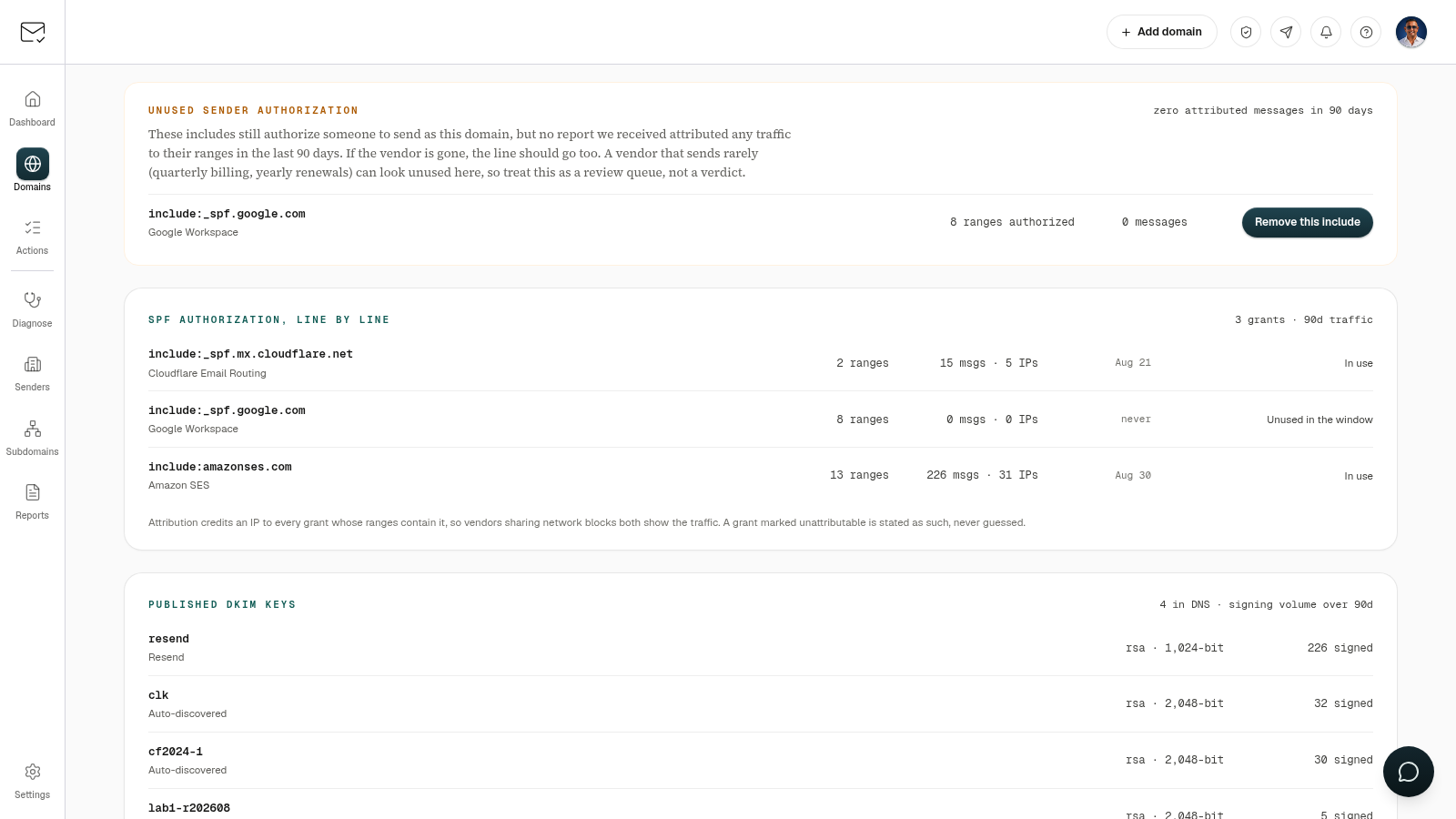
The Access review segment: an unused Google Workspace include flagged with zero messages in 90 days and a Remove this include button, above the grant-by-grant SPF table and the published DKIM keys with their signing volume
New feature

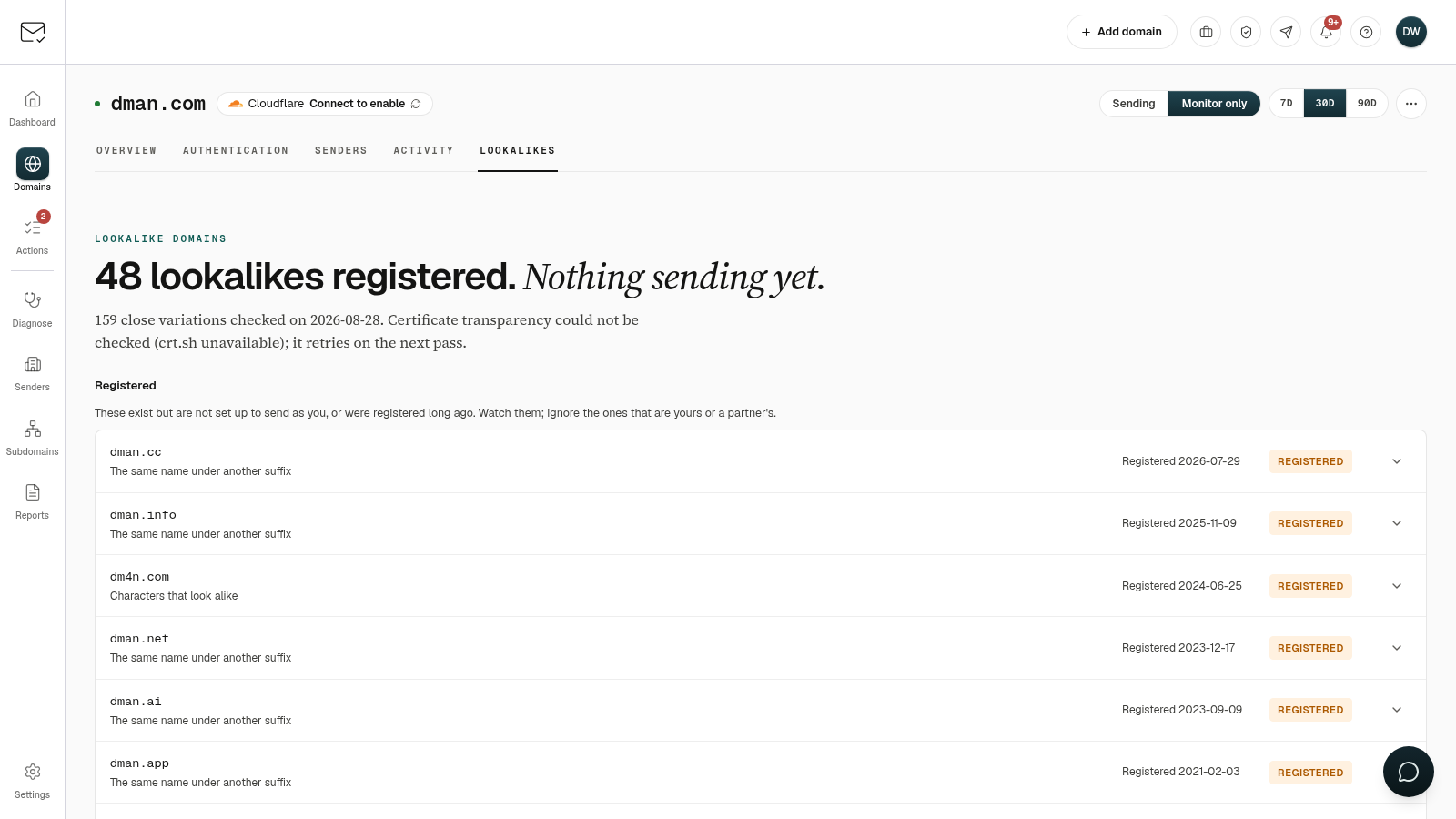
Lookalike Domains: see who registered a domain that looks like yours

Enforcement stops forged mail from your domain, so attackers register one that looks like it instead. Every protected domain now has a Lookalikes tab: a weekly scan of close variations, graded by what each one is set up to do, plus any lookalike your DMARC reports already caught sending as you. Scanning is on Lite and up.

The Lookalikes tab for a domain listing registered lookalike domains with the rule that produced each one and its registration date
New feature

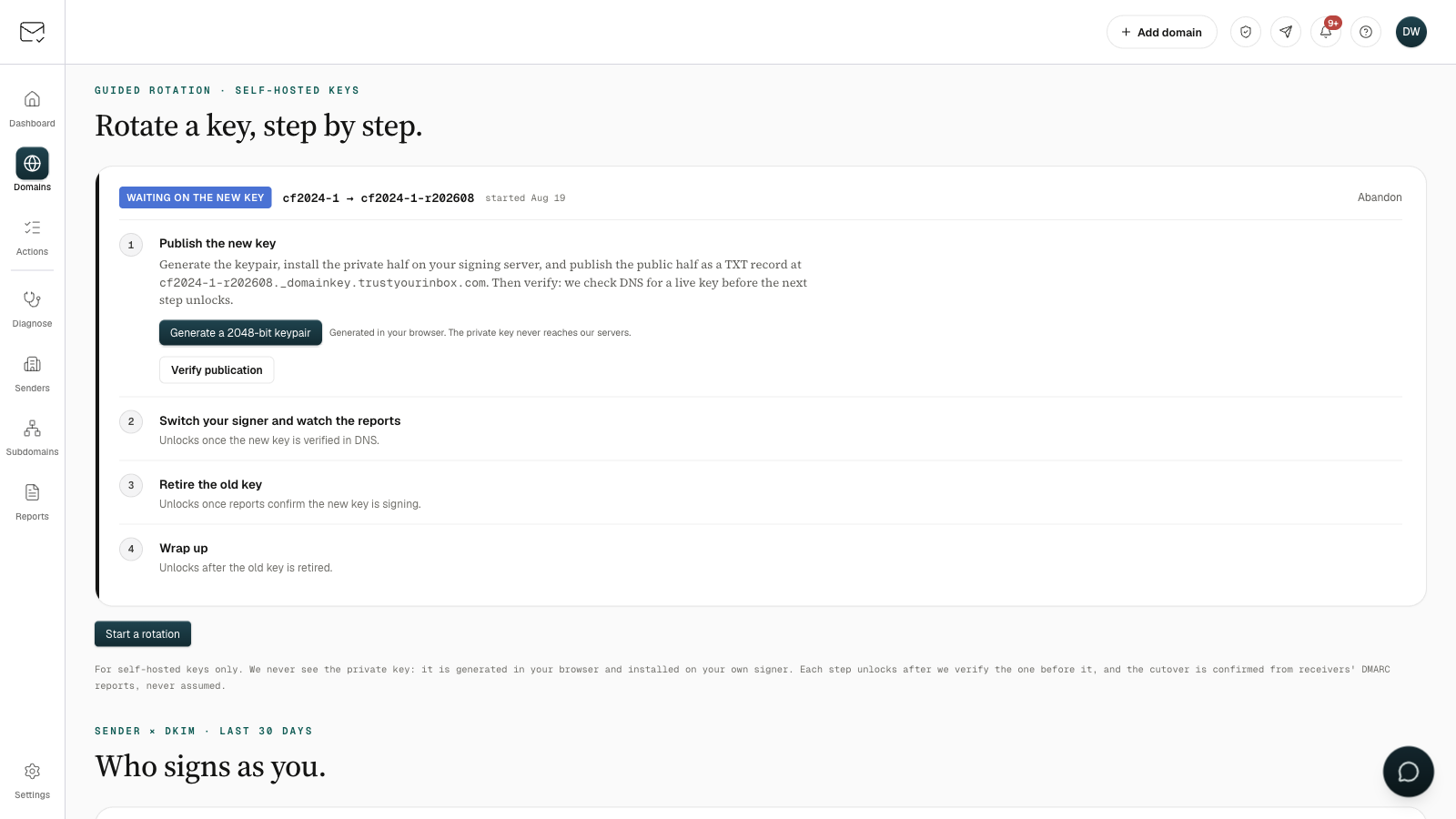
Rotate a DKIM key with proof at every step

Run your own mail signer? The DKIM tab's new rotation guide generates a 2048-bit key in your browser (we never see the private half), publishes it in one click, and retires the old key only after receivers' reports confirm the new one is signing. On all plans.

The DKIM rotation guide: a four-step ladder from publishing the new key, through report-confirmed cutover, to retiring the old key.
Improvement

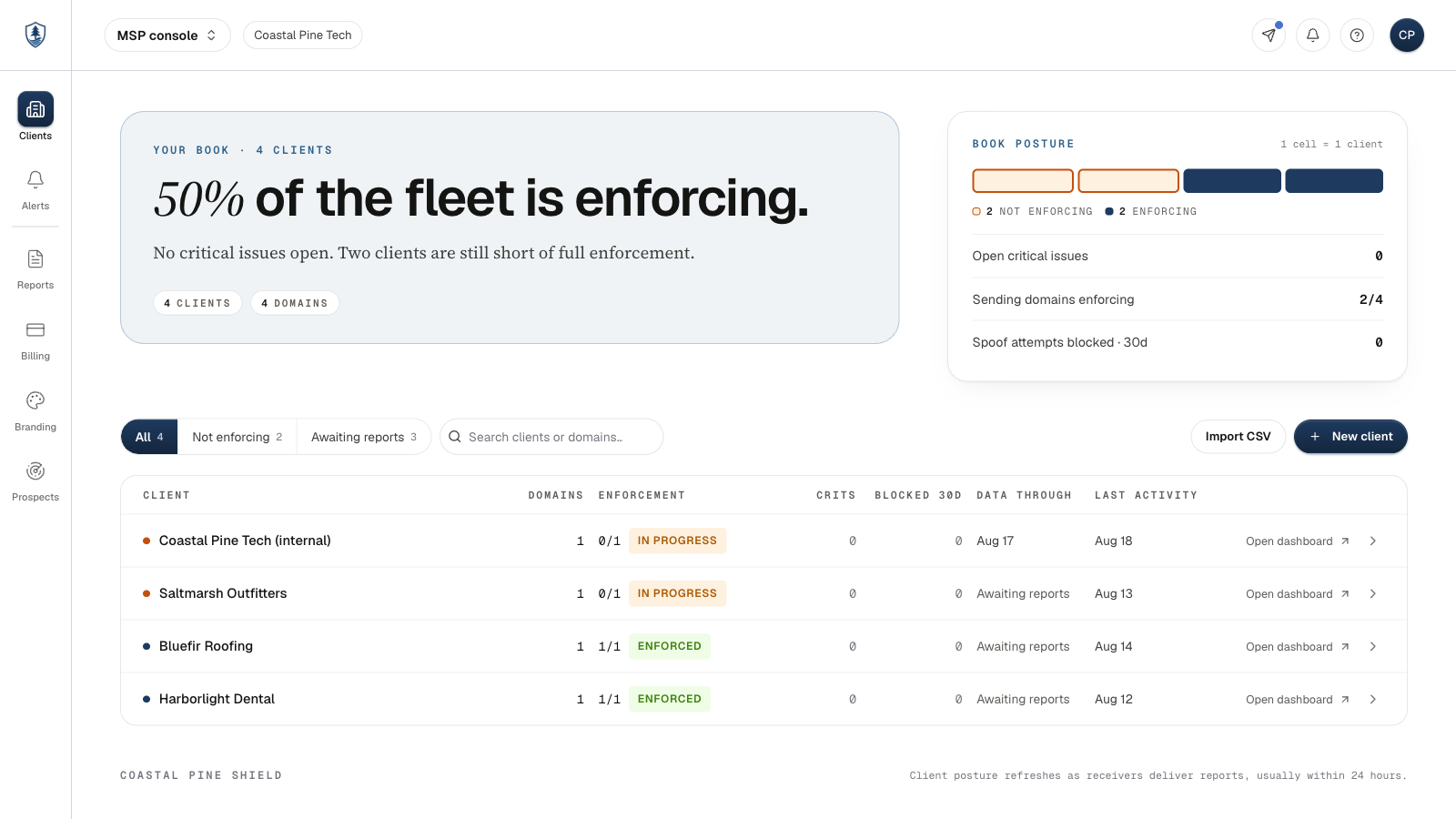
Your client console, rebuilt page by page

Send a client's monthly report for real and see whether it landed, put your own postal address on branded mail, mark what came of a prospect, and preview a CSV import before it creates anything.

The MSP console client list: four client workspaces with their enforcement posture, above a strip showing one cell per client.
New feature

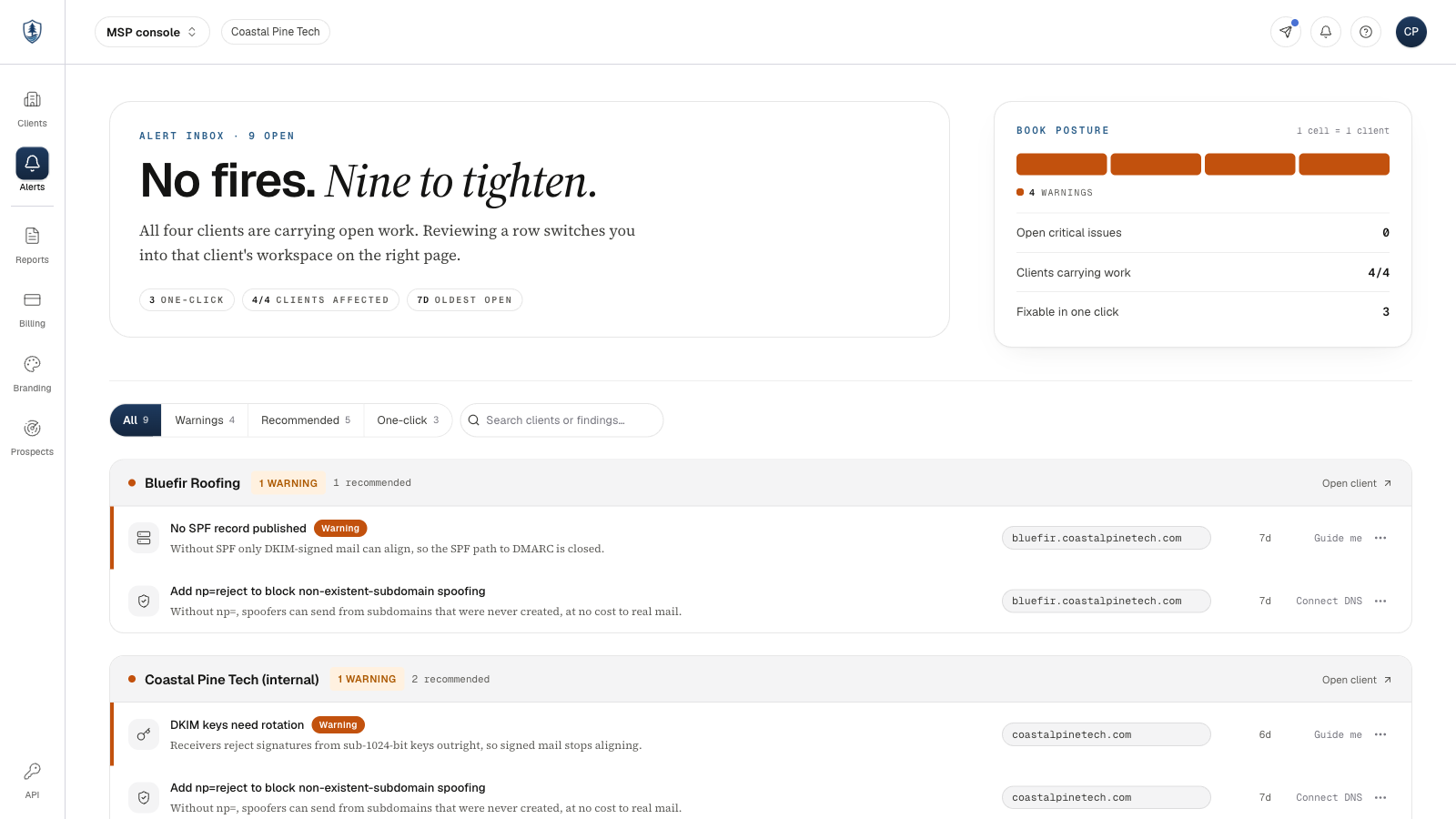
Run DMARC for every client under your own brand

The MSP tier is live: one console for your whole client book, white label portal and reports on your own domain, a partner API with CSV import, and published per domain pricing from $2 a month. Monitor only domains are free.

The MSP alerts inbox: nine open findings grouped by client, three of them fixable in one click.

July 2026

New feature

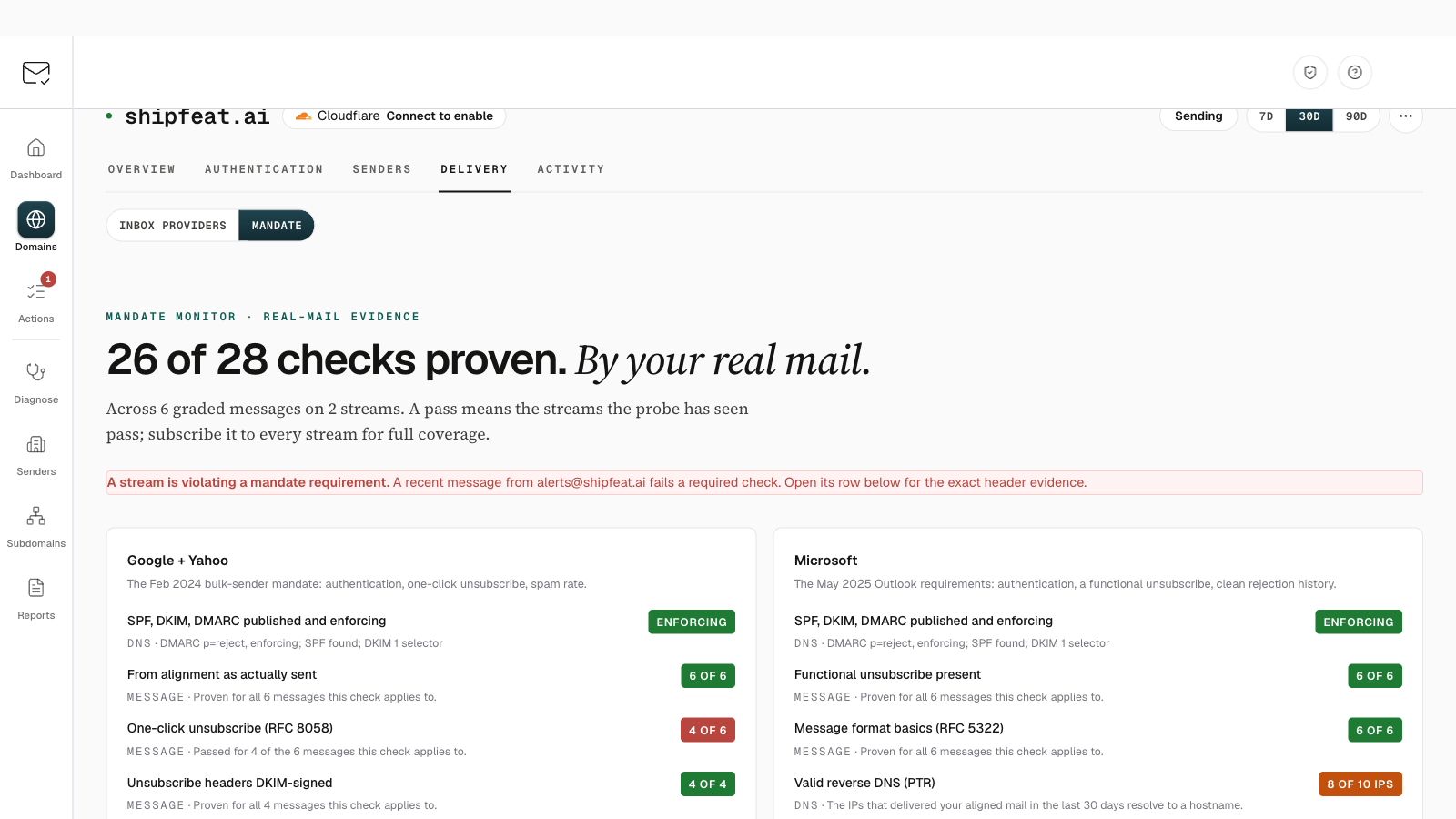
Prove your mandate compliance with real mail

DNS can only imply you meet the Google, Yahoo, and Microsoft bulk-sender rules. Your workspace now has a private probe address: subscribe it to your streams and every message is graded header by header, one-click unsubscribe included. A gap flips your compliance card with the exact evidence; clean streams earn a Proven by your mail mark. Lite and up.

The Mandate monitor for a domain: 26 of 28 checks proven by real mail, with per-check results for the Google, Yahoo and Microsoft bulk-sender rules.
New feature

See tonight's p=reject before you flip it

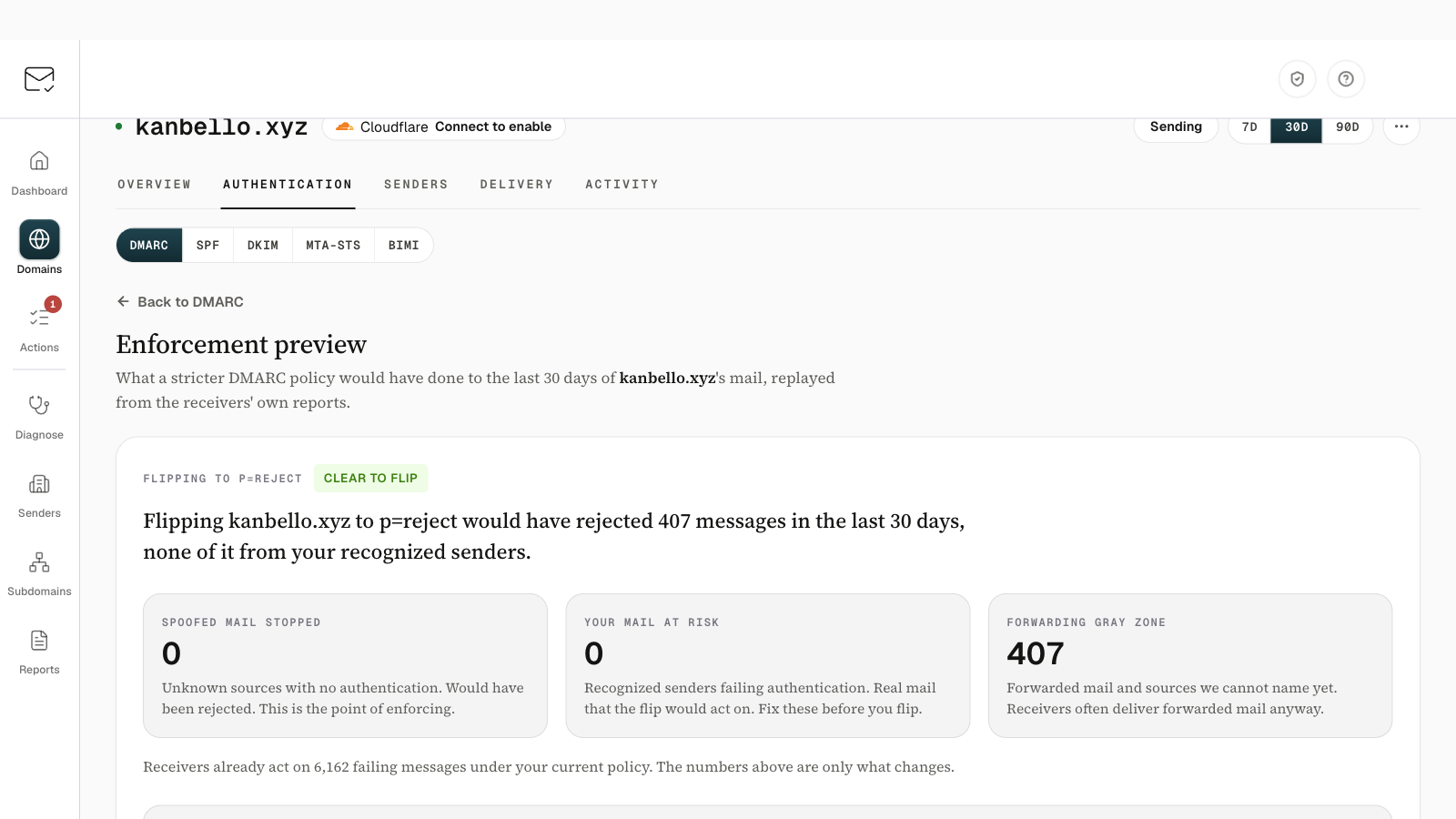
Enforcement Preview replays your last 30 days of receiver reports under a stricter DMARC policy, flips it in one click, and watches for 14 days with a one-click rollback if your own mail regresses.

The Enforcement preview for a domain: flipping to p=reject would have rejected 407 messages in the last 30 days, none of them from recognised senders.
New feature

Forward us the bounce, we'll tell you why

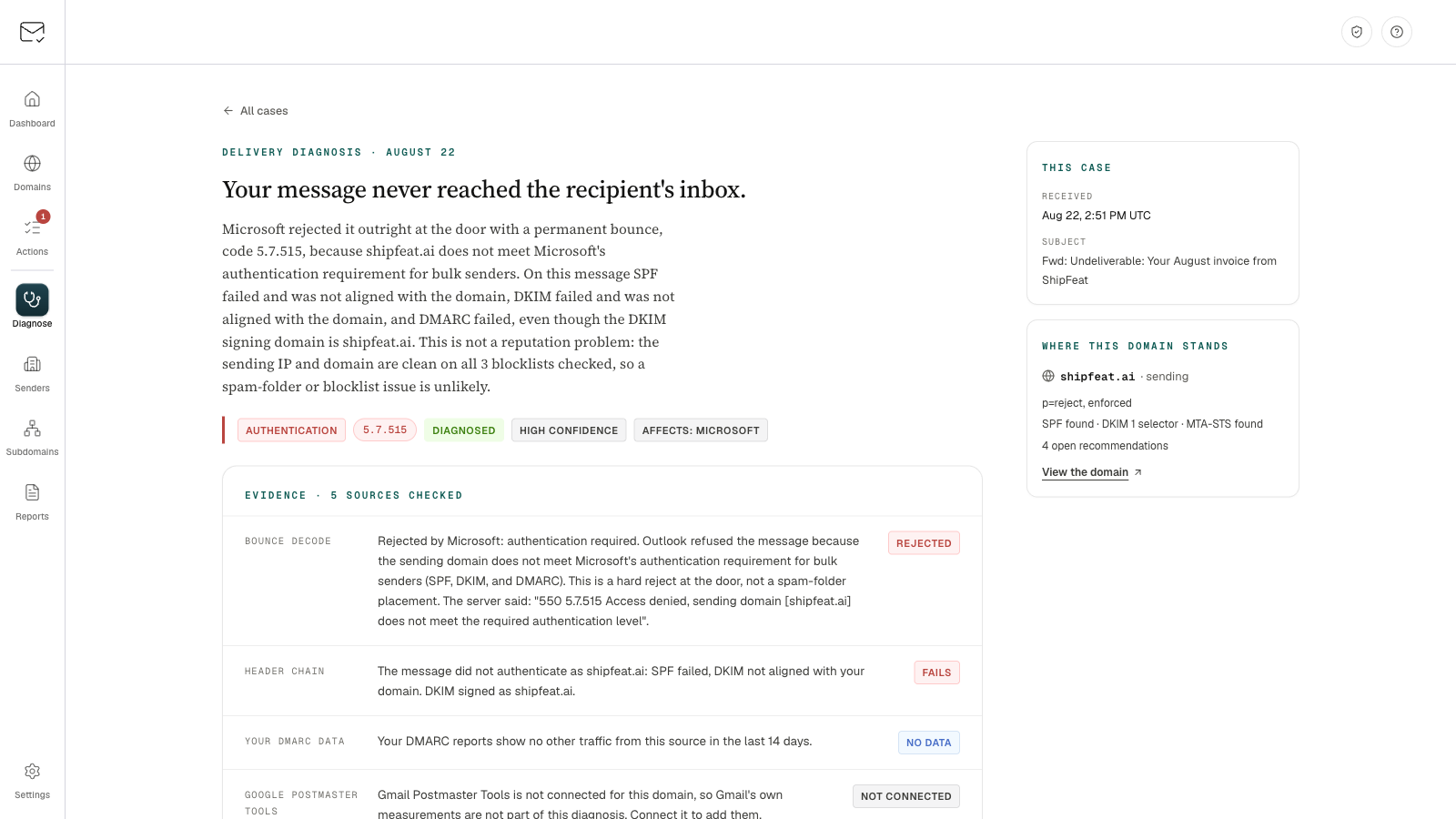
Email bounced or landed in junk? Forward it to your workspace's private diagnose address (or paste its headers) and get one plain-English verdict: the cause, the evidence from up to eight sources, what we ruled out, and a one-click fix when one exists - then a recovery watch confirms from the receivers' own reports once mail passes again. On all paid plans, from the new Diagnose page.

A diagnosed Delivery Diagnosis case: the verdict headline, an authentication cause chip with the 5.7.515 bounce code at high confidence, and the evidence chain from bounce decode to blocklists.
Improvement

EmailAuthLab now tells your email's whole story

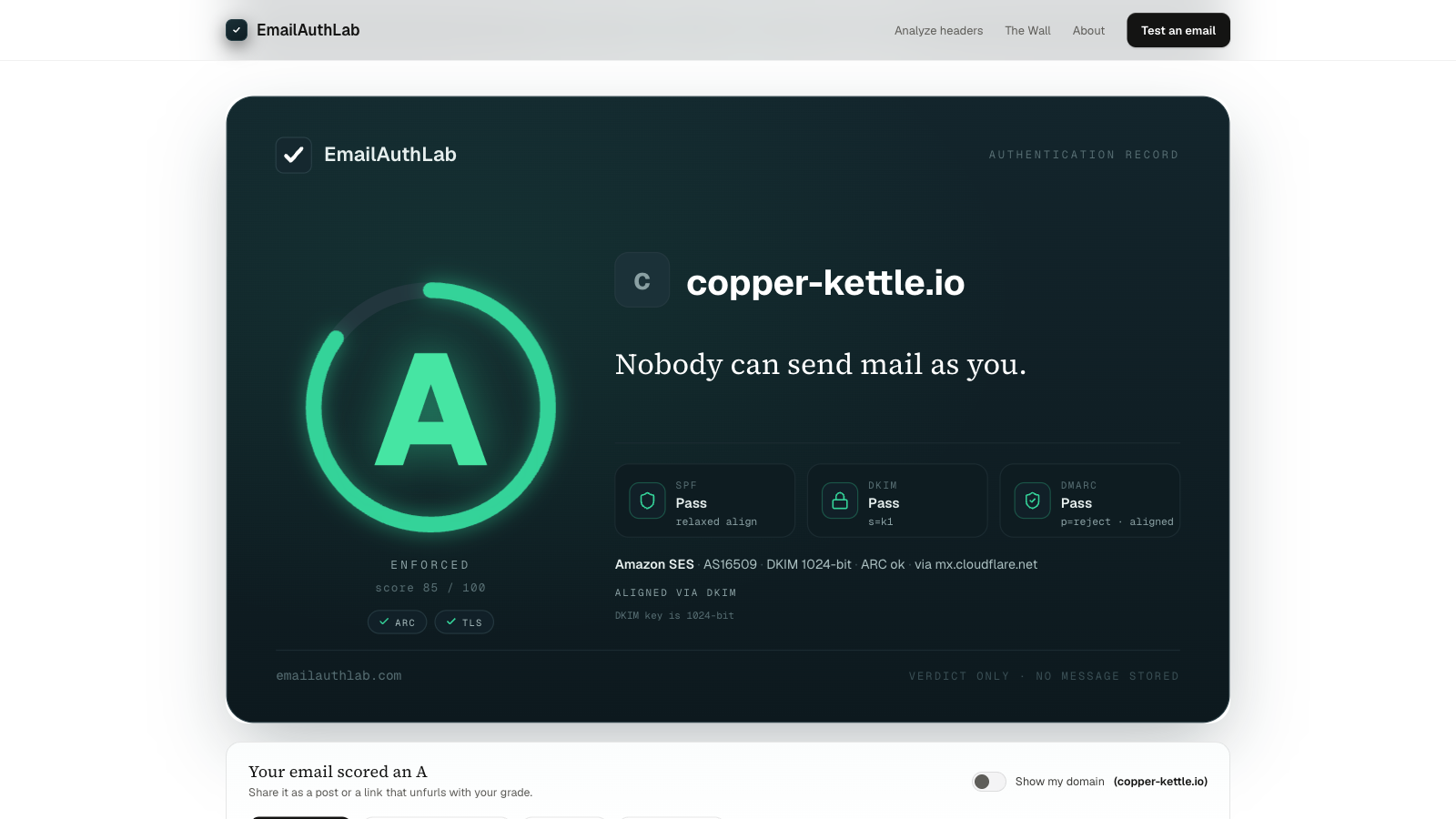
Send a test email to our free tester and watch it arrive: the route it took, a sealed grade record with honor marks, and a ladder of fixes. Shared links now unfurl with your real seal and score.

EmailAuthLab authentication record for a test email: an A grade seal, ENFORCED at score 85 of 100, ARC and TLS honor marks, SPF, DKIM, and DMARC passes, and the sending network details.
New feature

Your support tickets now have a home

Open, follow, and reply to support conversations at support.trustyourinbox.com - same sign-in as the app, attachments included, and email replies stay on the same thread.

New feature

Get alerted the instant something breaks, by email or webhook

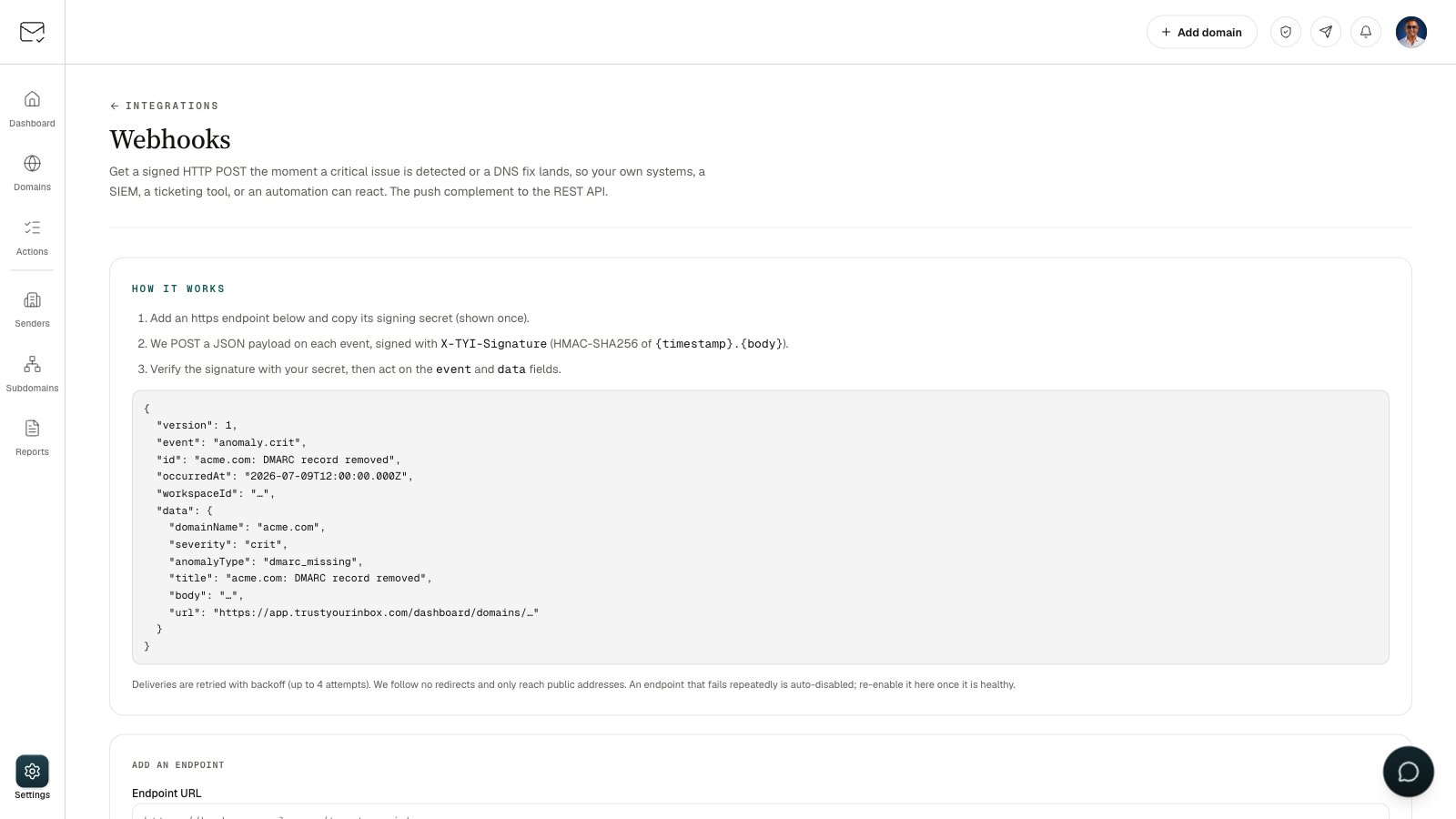
Critical issues and DNS-fix updates now reach you the moment a scan sees them: an instant email on any paid plan, or a signed webhook to your systems on Pro. Turn it on in Settings.

The Webhooks settings page showing how to receive a signed HTTP POST for each critical event, with the JSON payload shape.
New feature

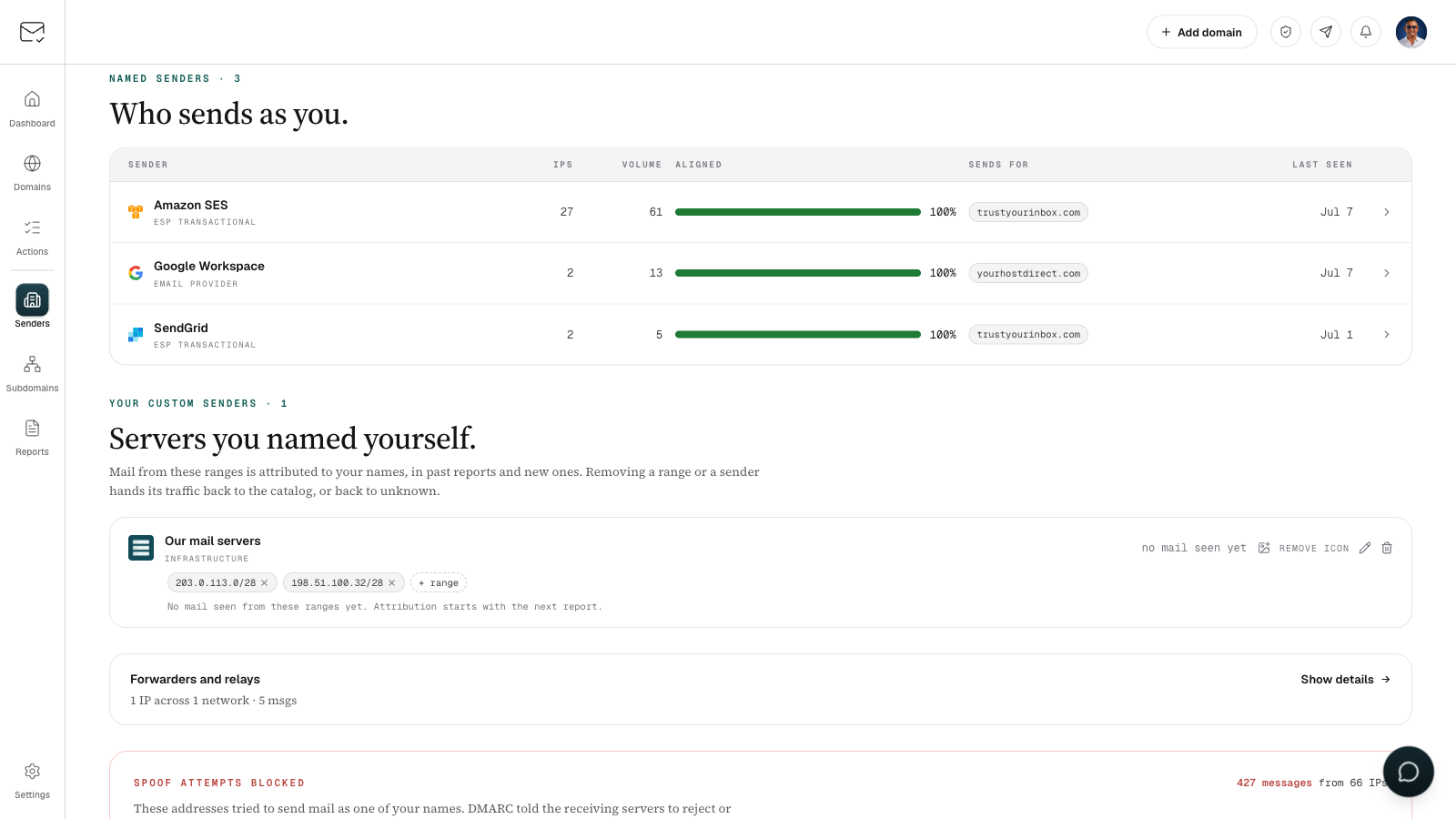
Name your own mail servers

Send from your own servers or a smarthost? Create a sender with a name, its IP ranges, and an icon. That mail then shows under your name in past and future reports, instead of as an unknown source.

The Senders screen: named senders like Amazon SES and Google Workspace above a "Servers you named yourself" card showing a custom sender with its icon and two IP ranges.
New feature

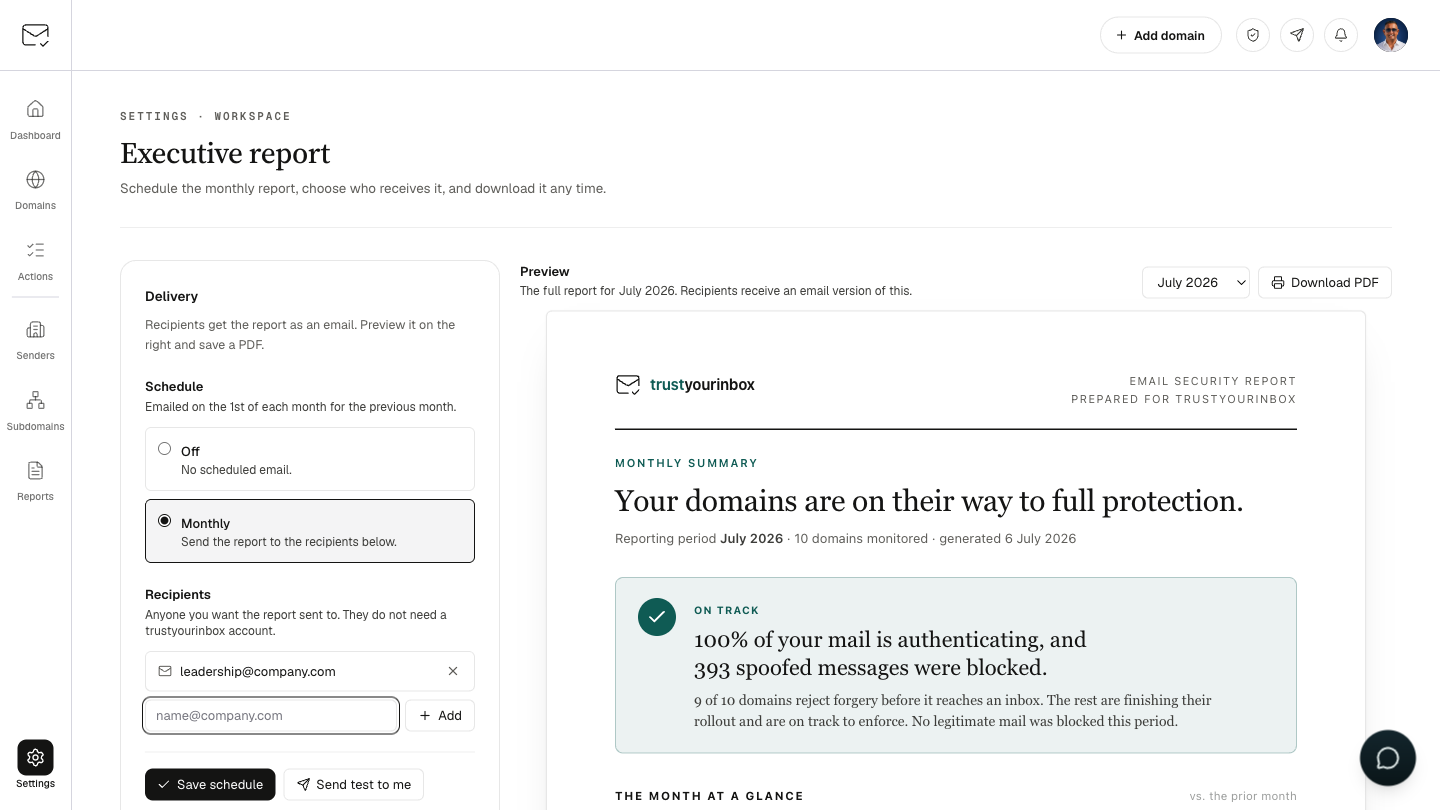
Email your leadership a monthly security report

Turn your DMARC data into a plain-English report and have it sent to your board, leadership, or cyber-insurer every month. Preview it and save a PDF any time from Settings.

The Executive report settings page: a monthly schedule with recipients on the left, and a preview of the branded email-security report on the right.
New feature

Your brand logo, verified: the new BIMI tab

Once a domain is enforcing DMARC, a new BIMI tab shows whether your logo is set up to appear beside your mail in Gmail, Yahoo, and Apple Mail, and walks you through publishing it.

June 2026

New feature

Connect your own tools with the trustyourinbox API

Mint an API key (Pro and up) to pull your domains, reports, senders, and issues into your own scripts and dashboards. Now you can make changes too: add domains, stage one-click DNS fixes, and dismiss issues.

New feature

Fix DMARC issues right from Slack

Connect Slack and we'll post the alerts that matter (a new spoofing sender, a domain that isn't protected, a fix that just applied) straight to your channel. When something is one-click-fixable, tap Fix this right in the message to stage it through the same safety net you get in the app: a 5-minute hold, a cancel button, and a 24-hour undo. Connect in Settings -> Integrations -> Slack.

New feature

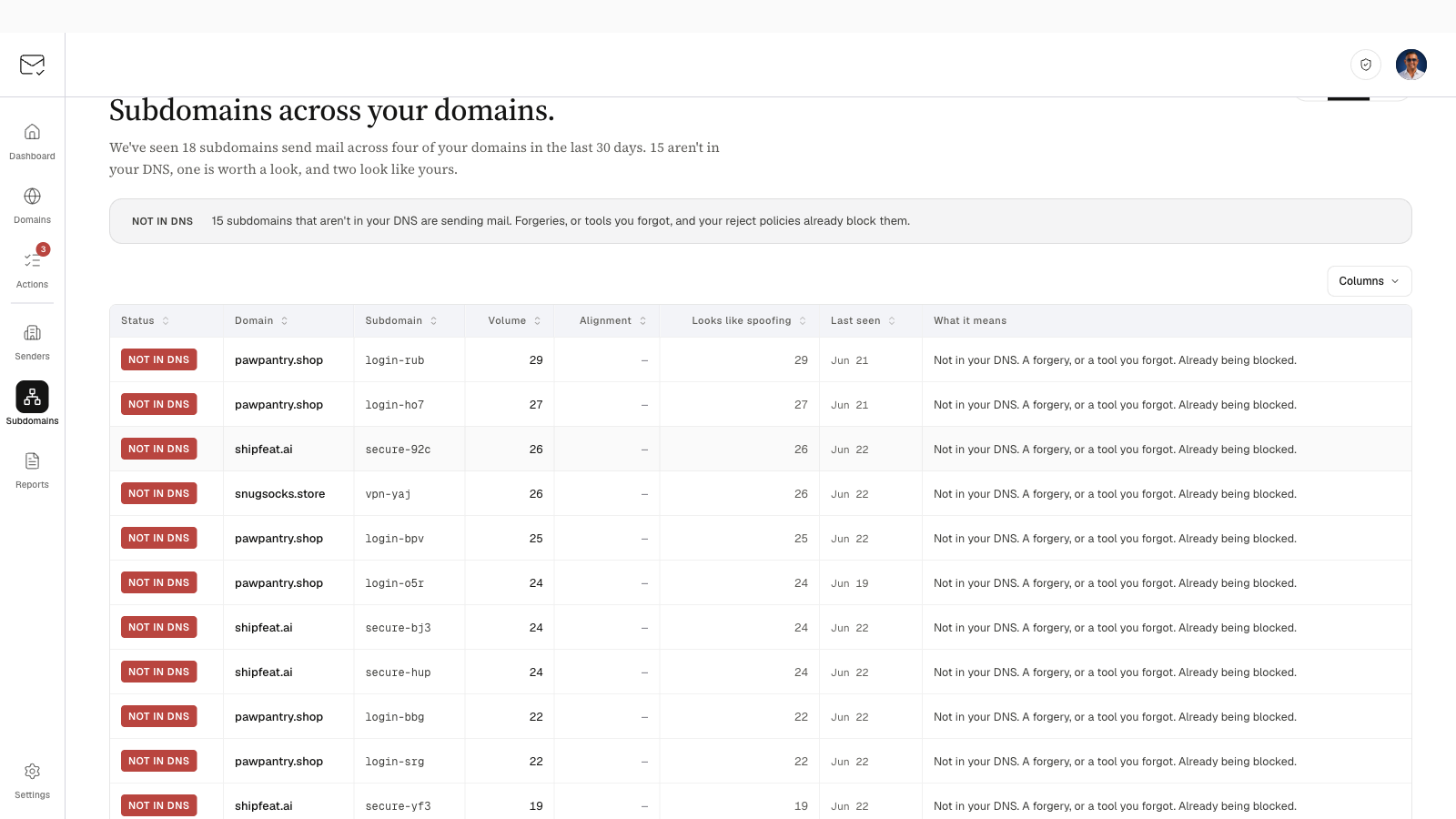
See every subdomain sending as you

Every domain now has a Subdomains tab showing which subdomains send mail as you: the ones you know, the ones worth a look, and the ones that aren't in your DNS. We'll flag the unfamiliar ones in your action inbox so you can tell a forgotten tool from a forgery.

A screenshot of the Subdomains screen: a table of subdomains sending mail across your domains, each labeled by status (known, worth a look, or not in your DNS).
New feature

Is your DMARC ready for DMARCbis? Now shown on every domain

DMARC became an official internet standard in May 2026. Each domain's DMARC tab now shows whether your record is current, plus a safe one-line change that blocks spoofing of subdomains you never created.

Improvement

Send us feedback and get a real reply

Send a bug, idea, or question from the help button and we'll reply straight to your inbox. Reply to our email any time to keep the conversation going.

New feature

Route 53 domains now verify in one click

Connect AWS and we publish the ownership record for you, no copy-paste.

Your AI assistant can now go deep on your email setup

Connected over MCP, it can now tell forwarding from real failures, show how Gmail vs Outlook see you, dig into your DKIM keys and BIMI logo, check reverse DNS, and label unknown senders for you.

See exactly which changes your AI assistant made

When you give an MCP token write access, every change your assistant makes is now labeled with the token's name in your audit log and domain history, so you can always tell it apart from your own.

Your AI assistant can now browse your workspace and autocomplete domains

Connect Claude or Cursor over MCP and it can attach your workspace health, action inbox, or a single domain's posture as context, and suggest your real domain names as you type.

Let your AI assistant fix your DMARC, not just report on it

Create a write-enabled MCP token and your AI assistant can dismiss issues, re-check DNS, and stage one-click DNS fixes for you. Fixes still go through the same 5-minute delay, email notice, and 24-hour undo. New guided prompts also help it investigate spoofing or plan your path to enforcement.

Ask your AI assistant about your DMARC data

Connect Claude, Cursor, or any MCP client to your workspace and ask questions like 'how much spoof mail did my domain get last week.' It is read-only and scoped to your data.

New Lite plan, plus yearly billing

Cover up to 5 domains for $9/mo on the new Lite plan. Prefer to pay yearly? Switch any plan to annual billing and save over 20%.

See what's new from the megaphone

Click the megaphone in the top bar to browse product updates in a quick slide-over, right where you are.

Notifications are live

Your notification bell is now wired up. Product updates and important account alerts will show here.

New here? See how the product fits together or what it costs.

Shipping like this,
for your domain too.

Free for one domain, no credit card. Set up in five minutes and the next entry here is a feature you already have.