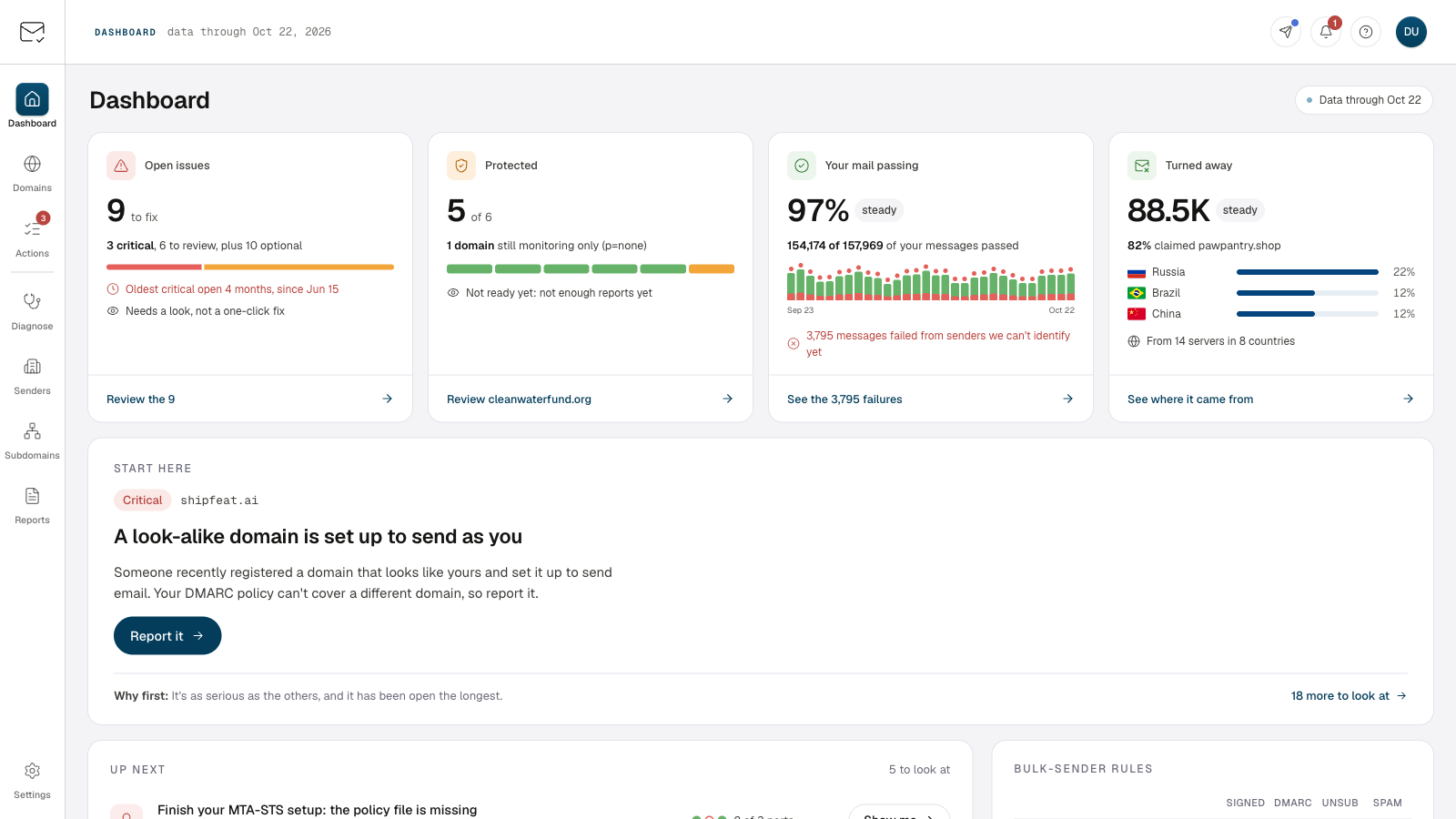
Illustrated example. Preview replays past reports; receivers decide how to handle mail.
DMARC enforcement, without the guesswork.
Know who’s sending
Identify the services using your domain and spot authentication issues.
Preview the impact
Test a stricter policy against 30 days of reports to see what could be affected.
Fix issues. Enforce protection.
Resolve authentication issues for legitimate senders, then move your policy to Reject.
Attackers don’t need your mail server. They can still impersonate your domain.
Forged email can come from outside your infrastructure, so your mail logs never see it. DMARC reports from participating receivers show sending sources and authentication results. That’s how you find who is using your domain.
kanbello.xyzPolicy Reject
Example receiver report
Source
SPF
DKIM
Reported action
Google WorkspaceIdentified sender
Pass
Pass
None
?203.0.113.7Not identified
Fail
Fail
Reject
Your DMARC briefing. Straight to your inbox.
Catch up on your domain’s email activity in about a minute, daily or weekly. No login needed.
The 90% leaves out failures from unnamed sources that receivers reported quarantining or rejecting. Those messages still count among the 2,523 failures.Findings include a next step.
Turn DMARC reports into clear next steps.
Identify your senders, enforce your policy in one click, and get answers where you already work.
We match sending IPs against 1,000+ network ranges we maintain to identify services like SendGrid. Name your own servers once, and recognize them across your reports.
198.51.100.9mail.kanbello.xyzNamed by youMatched range: 198.51.100.9/32
One-click DMARC enforcement
Move from Monitoring to Quarantine, then Reject, one click per step. We write each change to Cloudflare or AWS Route 53 after five minutes and email you a record. Cancel before it applies, or undo it afterward.
Writing to Cloudflare in five minutesWe’ll email you a copy once the record is written.Cancel
Reject chosen
Five-minute delay
Written to Cloudflare
Record emailed
Forward the message. Find the cause.
Send a bounce or an email that landed in spam to your private diagnosis address. Delivery Diagnosis explains what went wrong in plain English, with one-click fixes for supported DNS issues.
Forwarded bounce550 5.7.26 This mail is unauthenticated
Cause
The message failed DMARC. Its headers show no aligned DKIM signature and a Postmark Return-Path that does not align with kanbello.xyz.
Bounce codeMessage headers
Configure aligned DKIM or a custom Return-Path in Postmark.Postmark setup
Your DMARC data. In your AI assistant.
Connect Claude, Cursor, or another MCP-compatible client to your workspace. Ask questions in plain English and get answers grounded in your actual DMARC reports.


 SendGridIdentified sender
 PostmarkIdentified sender
 MailchimpIdentified sender

 Claude
 Cursor
 Microsoft 365
 v=BIMI1; l=https://